Why Your Etsy Mockups Look Like Everyone Else's (And What to Do Instead)
Template libraries and mockup bundles sell the same scenes to every shop. Why that costs you the click, how to check your own listings, and a photo sequence that stands out.
Search Etsy for a "funny cat mug" or a "retro sunset tee" and scroll for ten seconds. The same kitchen counter keeps coming back. The same linen bedspread, the same hand around the same cup, the same model leaning on the same brick wall. The designs change; the photos around them do not.
That is not a coincidence, and it is not laziness either. Most sellers buy their mockups from the same few places, and those places sell the same scenes to everyone. This guide covers where the repeats come from, how to check your own listings in two minutes, and what a listing that looks like your shop is made of.
We build Hauld, a lifestyle mockup generator, so we have an interest here. Everything up to the example applies whatever tool you use.
Where the same scenes come from
Four sources supply most Etsy mockups, and each one shares its scenes by design:
- Template libraries on a subscription. Placeit sells a library of 29,000+ mockups, designs, logos and videos (its own FAQ, read October 18, 2026), and every subscriber can download the template you picked. More in our Placeit alternatives comparison.
- Mockups inside a design tool. Canva Mockups, the former Smartmockups, gives every Canva user the same template set. See Canva Mockups alternatives.
- Mockup files sold on Etsy itself. Search Etsy for "mockup" and you get page after page of mockup files and bundles, many for a few dollars. A bundle bought once can sit in any number of shops.
- Your print provider's generator. Printify and Printful make free mockups of the products they print, from templates shared by every seller of that product. They are accurate, which matters, and they are the same across shops. How they work: Printify, Printful.
None of these is a bad tool. The problem is narrow: when the photo that sells your listing is a scene other shops also use, your design is the only thing left to compare, and the price comes next.
Why a shared scene costs you the click
Etsy search shows listings as a grid of small thumbnails, and a shopper decides in that grid, before reading a title. Three things happen when your cover photo is a template the shopper has already seen:
- It reads as generic. A scene seen two rows up says "another shop selling the same thing", even when your design is better.
- It hides what is yours. The template was built to fit any design, so nothing in it was chosen for your buyer: not the room, not the props, not the light.
- It invites a price comparison. Same scene, same blank, similar design: the cheapest listing gets the tap.
We have no click-through study to quote here, and we would be wary of anyone who quotes one without a source. What you can measure is your own shop: change the cover photo of one listing, then compare its visits in Etsy's shop stats over the next weeks with the weeks before.
How to check if your mockups are overused
A two-minute test for each listing you care about:
- Search like a buyer. Type your product and style ("botanical tote bag", "minimalist mountain poster") into Etsy search. If your cover scene shows up on other listings in the first rows, it is overused where it counts.
- Search the image. Run your cover photo through Google Lens. Exact matches carrying other designs mean the base photo is a shared template.
- Check the source. If the file came from a marketplace, its sales or review count is a floor for how many shops bought it.
- Look at your own shop page. Twenty listings on the same bedspread read as one listing twenty times. A consistent style is good; the same photo is not.
If a listing fails one of these, its cover photo is the first thing to replace.
What makes a lifestyle mockup look like your shop
Unique does not mean strange. A cover photo that belongs to your shop usually has four things:
- A scene chosen for your buyer. A camping mug belongs on a trail rock, a nursery print above a crib, a gym tee near a locker. A catalog template picks the scene for every buyer at once.
- A product that behaves like the product. The print wraps the mug, bends with the fold of the shirt, sits under the glass of the frame. A flat paste-on is the first thing a careful shopper notices.
- Variety inside the listing. One kitchen, one desk, one pair of hands, one flat lay. Five photos of the same setup add nothing after the first.
- Light that holds the set together. Different scenes, one color grade, so the listing reads as one photoshoot.
Our product pages show what this looks like per product: mugs, t-shirts, hoodies, tote bags, posters.
How to build a unique Etsy listing, photo by photo
Etsy allows up to 20 photos and 2 short videos per listing (How to Create a Listing). You do not need 20. This sequence covers what a buyer checks, in the order they check it:
- Cover: the clearest view of the product in its best scene. It has to read at thumbnail size: one product, one idea, no clutter.
- A second scene, in another room or light. Morning kitchen, then evening desk: the item fits more than one moment.
- The product in use. Held, worn, hung on a wall. It answers "how big is it" before the buyer asks.
- A detail. The print up close, the fabric, the glaze.
- The accurate photo. For an item you make or keep in stock, Etsy now asks for one unedited photo of the real item (announced October 22, 2026). For print on demand, Etsy's Help Center allows the mockup from your production partner, which shows the exact blank. Details in Are AI mockups allowed on Etsy?
Then add what your product needs: a size chart, a color chart, the packaging. Our Etsy listing photo checklist has a ten-slot version.
Example: one design, five scenes nobody else has
Here is one real Hauld haul, exported from production as it came back. One flat design went in, a black square with an orange asterisk. The pipeline rendered seven tote bag scenes on it, scored them, kept the best five and graded them together. Two scenes were dropped: a coat hook and a beach blanket.
 Design in
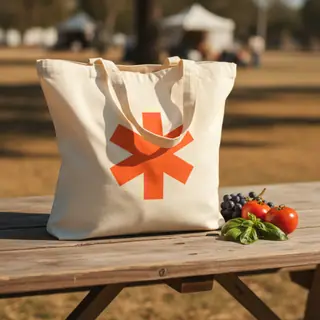
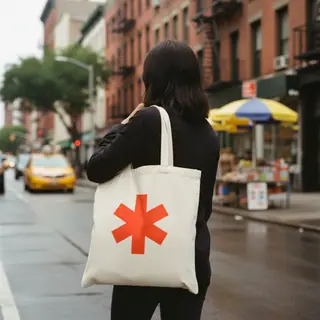
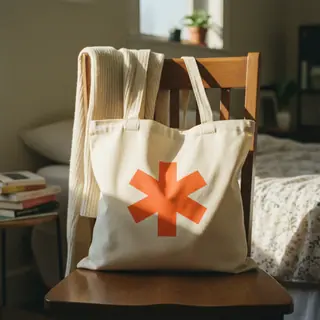
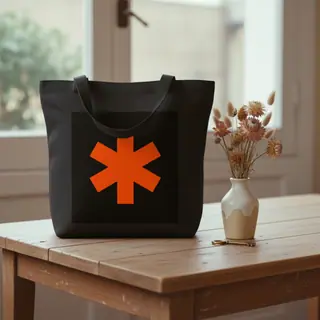
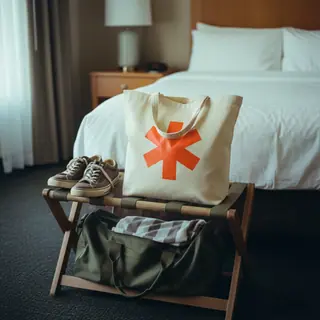
How a lifestyle mockup generator does it differently
A template tool places your design on a photo that already exists. A lifestyle mockup generator renders the whole photo, product and scene, for your design. In Hauld's case:
- Seven scenes per haul, five kept. Each product has its own scene list (a mug draws from a kitchen counter, a desk, a breakfast tray and more). The seven scenes are rendered on your design, scored for detail and contrast, and the best five are delivered.
- One grade across the set, so five scenes look like one shoot.
- No shared base photo. The scene list of a product is the same for every user, so two mugs can land on similar counters. The photo itself is rendered from scratch every time: there is no template file another shop can download.
- Misses happen. An AI render can garble small text or bend a shape. Check every photo before it goes up and regenerate a miss, up to 5 times per haul on paid plans and 2 on the free plan.
The product comes out as a generic item of its category, "a mug", "a t-shirt". If your listing needs an exact blank, keep the photo from your production partner next to the scenes, as in the sequence above.
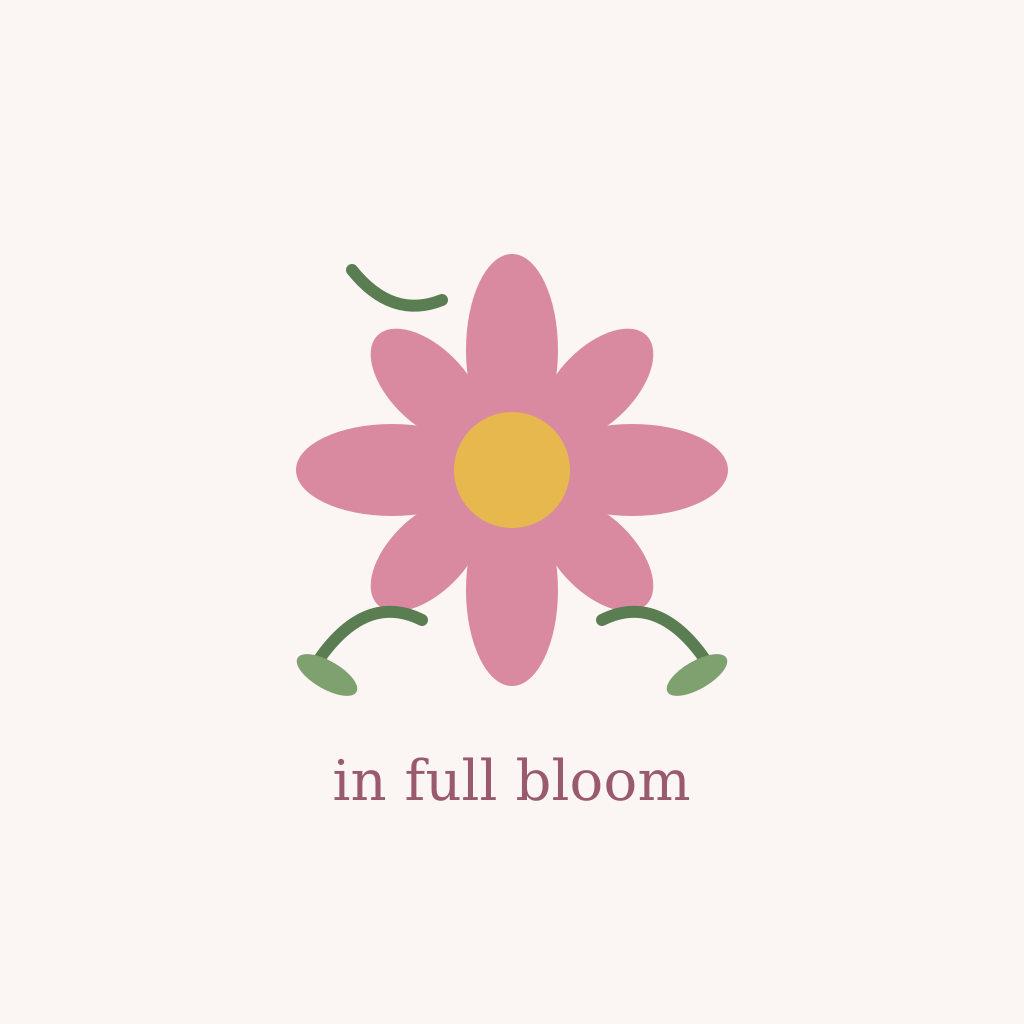 Design in
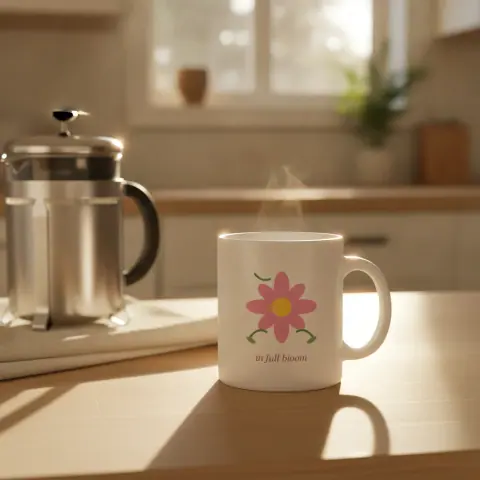

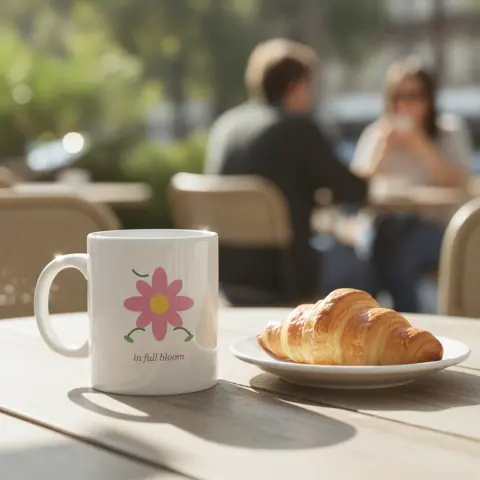

Try it on one listing first
Pick the listing whose cover photo failed the two-minute check and test there before you change the whole shop:
- Run a free preview on your design: one watermarked photo, no signup, about a minute.
- If the scene works, a free account gives you one full haul a month: 5 photos at 1024px with a small mark, no card.
- To refresh a shop, the Listing pack turns up to 20 designs into ready Etsy listings for $19, paid once: 5 photos at 2048px per design, plus an Etsy title, 13 tags and a description, in one ZIP. You upload to Etsy yourself.
For the text side of a listing, our free Etsy title generator and Etsy tag generator need no account.
Questions sellers ask
Are Etsy mockup bundles a bad idea?
No. A bundle is a cheap way to get a clean product shot. The risk is only that the same scene becomes the cover photo of many shops. Use bundle photos lower in the listing and keep the cover for a scene that is yours.
Can two shops get the same Hauld photo?
Not the same photo. Each photo is rendered from scratch for the design that was uploaded. The scene descriptions of a product are shared, though, so two shops can each get a mug on a similar kitchen counter, in two different photos.
How many photos should an Etsy listing have?
Etsy allows up to 20. Most products are covered by a cover scene, one or two more scenes, the product in use, a detail and an accurate photo of the real item or of your production partner’s blank, then a size or color chart if the product needs one.
Model or flat lay for apparel?
Both, and test. A flat lay shows the print clearly; a worn photo shows fit and scale. Put one of each in the listing, swap which one leads for a few weeks and compare the listing’s visits in Etsy’s stats.
Is a lifestyle mockup generator the same as an AI mockup generator?
Often. Lifestyle describes the scene: the product in a room, in a hand, outdoors. Some tools fill lifestyle templates; AI generators like Hauld render the scene itself, so it is new for each design.