Are AI Mockups Allowed on Etsy in 2026?
Short answer: yes, if they show what the buyer gets. Etsy tightened its photo rules on October 22, 2026. What changed, what Etsy asks you to disclose, and a safe photo order.
Short answer: yes, with conditions. AI mockups and AI-edited photos can go in an Etsy listing as long as they accurately show what the buyer receives: color, size, print, material. Since Etsy's update of October 22, 2026, most listings must also include at least one unedited photo of the real item. Print-on-demand listings have an exception, and Etsy says it will start enforcing the new requirements in early 2027.
This page sticks to what Etsy wrote in its Help Center and its Community forum, with dates and links. Two disclosures: we are not Etsy and this is not legal advice, and we build Hauld, an AI mockup tool, so we have an interest in the answer. Read Etsy's Listing Image Requirements before you change a listing.
What Etsy changed on October 22, 2026
Etsy announced the change in its Community forum, in a post on AI use updated on November 6 (Etsy Community announcement, read November 12, 2026). On photos, in Etsy's words:
- "Your listings must include at least one unedited photo of the actual item against a real background."
- "That photo can't be edited or changed, and some exceptions may apply depending on what you sell."
- "All photos must accurately represent what a buyer will receive."
The November 6 update relaxed three points. "Your first listing image does not need to be the unedited photo." Cropping, resizing, a watermark or a new file format are now allowed on that photo. And one unedited photo per listing is enough, even when the listing has variations. Etsy also warns that using AI-powered tools on that photo may get it flagged as AI-edited.
The other photos can be edited, Etsy says, "as long as they accurately represent what buyers will receive." Its Help Center page on image requirements spells it out: "you can still use photo-editing tools, including AI", to adjust lighting or color, crop, resize or replace a background, but never to hide flaws or damage or to make the item look different from what the buyer gets.
When Etsy starts enforcing it
Not yet. Etsy writes that it plans "to begin proactively enforcing these requirements in early 2027", with advance notice. Two things already apply:
- Buyer cases. If the item a buyer receives is materially different from the listing, Etsy says you may be responsible for the refund when the listing does not meet the updated image requirements.
- Buyer reports. Shoppers have a new option to flag listings that use AI imagery in a misleading way. At first, Etsy says, these reports "won't trigger immediate enforcement."
Etsy has also started flagging suspected AI images in the listing form. CindyLouWho2, a long-running Etsy news blog (October 23, updated November 6, 2026), reported it live for some sellers by October 26, with mixed accuracy.
Print on demand: the mockup exception
A print-on-demand seller may never hold the item, and the policy has an exception for that case. Etsy's Help Center page How do Etsy's listing image requirements apply to my listings? (read November 12, 2026) says that when a production partner prints your original design on a generic blank such as a mug or a t-shirt, you may use a stock photo mockup, as long as the owner of the stock photo has authorized its use. The policy wording, as quoted by Prodigi (October 22, updated October 27, 2026): "If a production partner prints your original design on a standard base product (like a t-shirt or mug)", "you may use a stock photo mockup, if the stock photo's owner has authorised its use."
Read the wording closely. It names a stock photo mockup authorized by its owner, such as the mockups your production partner makes of its own blanks. It does not name AI-rendered scenes. So the careful reading for a print-on-demand listing is:
- Keep one mockup from your production partner, or a photo of a sample you ordered, as the accurate view of the blank.
- Add AI lifestyle scenes as extra photos, held to the same rule as every other photo: they show what the buyer receives.
A slot-by-slot version of that stack is in Printify mockups vs lifestyle photos.
Items you make or stock yourself
If the item exists before the order, a mug you glazed or a print you keep in stock, the unedited photo is yours to take: the real item, a real background, no AI tool on that file. A phone by a window is enough, and our no-studio guide covers the setup.
AI scenes can still go in the other slots, with more care than for print on demand: a handmade item varies from piece to piece, and a rendered scene shows an idealized version. Never let an AI image pass for a studio photo of a one-of-a-kind piece.
Do you have to say you used AI?
For photos, Etsy's Help Center answers it. Its page on image requirements (read November 12, 2026) says: "If you use AI to edit any of your listing photos, note whether images were edited in your listing description." Seller resources read the policy differently in the first weeks (CindyLouWho2 as a requirement, List Perfectly as a recommendation); the Help Center wording asks you to note it, so do.
For the item itself, the rule is older and clear: Etsy's Seller Policy says an item created through the use of artificial intelligence must be disclosed in its listings. That covers AI-generated art, not the photos of a mug you designed yourself.
One plain sentence covers the photos. For example, to adapt to your listing:
"Photos 2 to 5 are AI-rendered lifestyle mockups of this design. The first photo shows the actual item."
Do buyers reject AI mockups?
We have no survey to quote, and the question keeps coming back in seller forums (one thread on r/EtsySellers). What Etsy's rules target is not AI as such but misrepresentation: a color that does not match, a size that looks bigger than it is, a texture the item does not have. That is what turns into a "not as described" case.
The tells a buyer spots are the ones you can check before you upload:
- garbled letters in a design that has text
- hands with the wrong number of fingers, faces that look waxy
- a product with the wrong proportions, or a print where your product cannot have one
- a color that differs from the variant you sell
If a photo shows one of these, regenerate it or leave it out.
How to use AI mockups on Etsy: a safe photo order
- Lead with the clearest, most accurate view. Since November 6 it does not have to be the unedited photo, so it can be a scene, as long as it shows the item truthfully. For wall art, a clean framed view is a common choice for the thumbnail, with the room after it.
- Two or three AI lifestyle scenes. Different rooms or light, the product the hero of each.
- A detail and a scale photo.
- The accurate photo. The unedited photo of the real item or, for print on demand, your production partner's mockup or a photo of a sample.
- Check every AI photo against the item you ship: colors, print placement, proportions, text.
- Add the one-line mention in the description.
 Design in
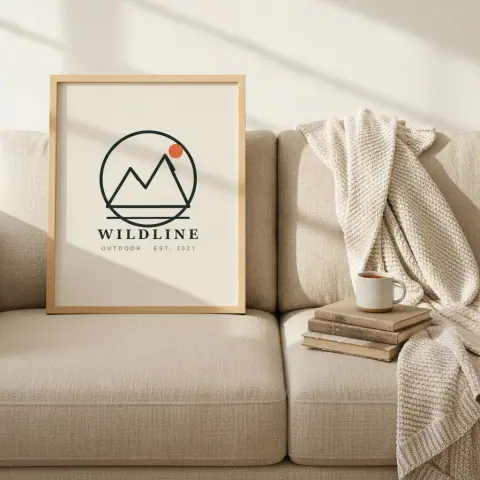
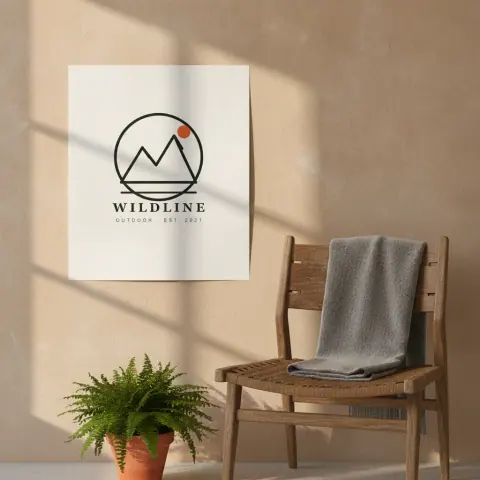
Where Hauld fits
Hauld renders AI lifestyle photos of your design: seven scenes per haul, the best five kept and graded together. Everything it makes is AI-rendered, and every example on our site is labeled that way. Hauld does not connect to your shop or publish anything: you decide which photo goes in which slot.
- Run a free preview on your design, no signup.
- A free account makes one haul a month: 5 photos at 1024px with a small mark.
- The Listing pack, $19 once, turns up to 20 designs into ready Etsy listings: 5 photos at 2048px each, plus a title, 13 tags and a description, in one ZIP.
Questions sellers ask
Are AI mockups allowed on Etsy?
Yes, if they accurately show what the buyer receives. Since Etsy’s October 22, 2026 update, most listings also need one unedited photo of the real item; for print on demand, Etsy’s Help Center allows a stock photo mockup authorized by its owner, such as your print provider’s.
Does the unedited photo have to be the first image?
No. Etsy’s November 6 update says the first listing image does not need to be the unedited photo.
Can I crop or watermark the unedited photo?
Yes, since November 6: cropping, resizing, a watermark and a new file format are allowed. AI-powered tools are not, and Etsy says they may get the photo flagged as AI-edited.
Do I have to say my photos were edited with AI?
Etsy’s Help Center asks for it: “If you use AI to edit any of your listing photos, note whether images were edited in your listing description.” One plain sentence saying which photos are AI-rendered is enough.
When will Etsy enforce the new photo rules?
Etsy says it plans to start proactive enforcement in early 2027, with advance notice. A buyer case for an item that differs from its listing can already cost you a refund.
Will Etsy flag my AI mockups?
Possibly. Etsy has started flagging suspected AI images in the listing form, and buyers can report misleading AI imagery. In Prodigi’s own test, a ChatGPT mockup triggered Etsy’s warning without being rejected; Prodigi calls its results indicative only.